
Step 1: Create New Project in App Inventor
Step 2: Add new Screen
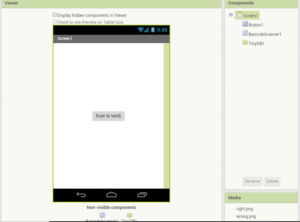
Step 3: Add Block Logic as below
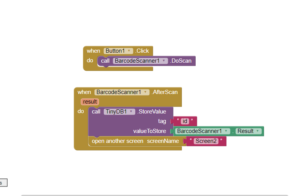
Step 4: Create Screen2 and add the following components
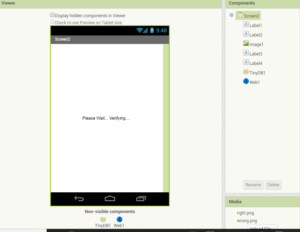
Step 5: Add Block logic as below,
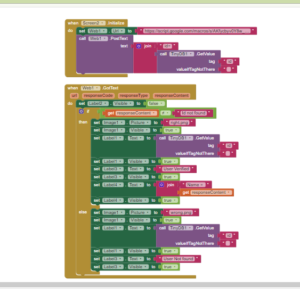
Step 1: Create New Project in App Inventor
Step 2: Add new Screen
Step 3: Add Block Logic as below
Step 4: Create Screen2 and add the following components
Step 5: Add Block logic as below,
Powered by WordPress Crazy Coders Club 2026 | All Rights Reserved.

Ok, so this is the second one I have tried which I have not been able to get to work…
This one just shows the second screen with the four “Text for Label X”, does nothing else.