
This tutorial explains on automation of sheet activities like creating a sheet, copying sheet, clearing values using App script. For demonstration, I have taken 2 scenario
- Creating new Spreadsheet every Month’s 1st day.
- copying data from daily sheet to the Monthly sheet at a specified time every day.
Step 1: Create a Spreadsheet which holds Daily & monthly Spreadsheet ID’s
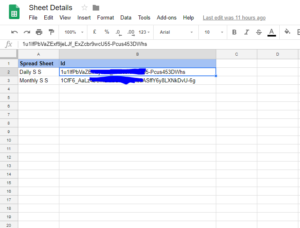
Step 2: Create app script and add the following code
var ss = SpreadsheetApp.openById("ID of the Sheet created above");
var sheet = ss.getSheetByName("Sheet1");

function createMontlySheet(){

  var cur_month = Utilities.formatDate(new Date(),"IST", "MMMM YYYY");

  var new_monthly_sheet = SpreadsheetApp.create("Attendance Sheet "+cur_month);

  var sheet_file = DriveApp.getFileById(new_monthly_sheet.getId());

  var cur_folder = DriveApp.getFolderById("1XSCzAWu1OyJxwwLPfpxLwjJbjHd4WWfv");

  cur_folder.addFile(sheet_file);

  sheet.getRange(3,2).setValue(new_monthly_sheet.getId());

}

function dailyDump(){

  var dss = SpreadsheetApp.openById(sheet.getRange(2,2).getValue());

  var mss = SpreadsheetApp.openById(sheet.getRange(3,2).getValue());

  var daily_sheet = dss.getSheetByName("daily_attendance");

  var copied_sheet = daily_sheet.copyTo(mss);

  copied_sheet.setName(new Date().getDate());

  daily_sheet.clear();


}<br>
Step 3: run the functions & check for output.
Step 4: Add triggers as required.
